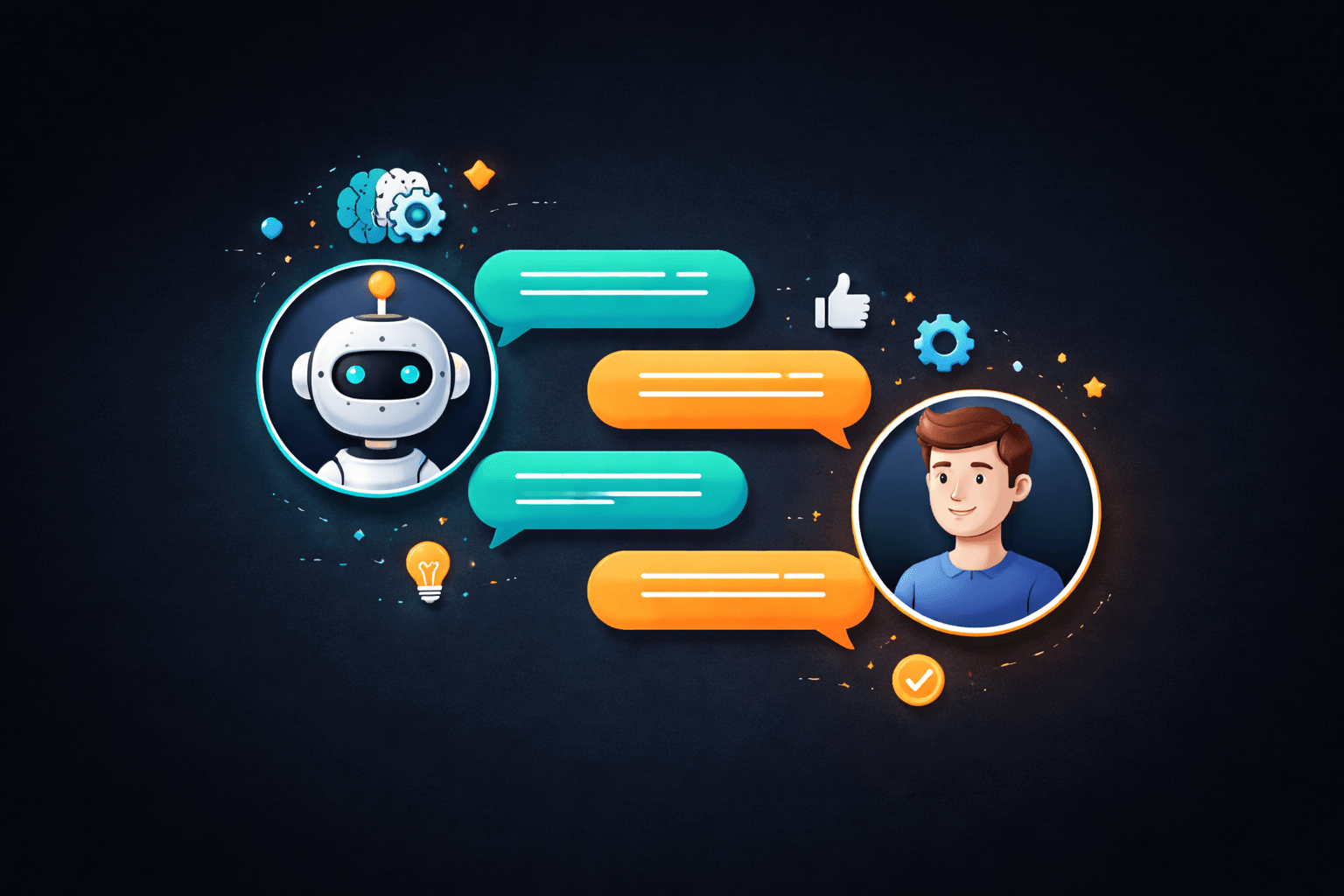
The promise of AI chatbots has been floating around for years, but 2026 is the year they actually deliver on it. Large language models have matured to the point where a well-configured chatbot can hold nuanced, multi-turn conversations that genuinely help customers. They can resolve support tickets, qualify inbound leads, book meetings, and answer complex product questions, all without a human touching the keyboard. But there is a catch. A badly implemented chatbot is worse than no chatbot at all. We have all been trapped in a loop of "I did not understand that. Can you rephrase?" with a bot that clearly cannot help. That experience does not just fail to solve the problem. It actively damages trust. This guide covers everything you need to know about deploying AI chatbots for your business in 2026: what they actually are today, the different types, concrete use cases, platform options, costs, ROI measurement, and the mistakes that will make your customers hate you.
What AI Chatbots Actually Are in 2026
An AI chatbot is software that uses natural language processing to understand written or spoken input and respond in a way that feels conversational. That definition has not changed, but what sits under the hood has changed dramatically. Modern AI chatbots in 2026 fall into a fundamentally different category from the chatbots of even two years ago. The current generation is built on top of large language models (LLMs) that understand context, remember conversation history, handle ambiguous questions, and generate responses that sound like they were written by a knowledgeable human. The key shift is retrieval-augmented generation (RAG). Instead of trying to stuff all your business knowledge into a model's training data, RAG chatbots pull relevant information from your knowledge base, help docs, product catalog, or CRM in real time, then use the LLM to compose a natural-sounding response. This means the chatbot's answers are grounded in your actual data, not hallucinated from training data. The result: chatbots that are accurate, brand-consistent, and capable of handling the long tail of customer questions that rule-based bots could never touch.Three Types of Chatbots: Rule-Based, AI-Powered, and Hybrid
Not every business needs a full AI chatbot. Understanding the three types helps you pick the right tool for your situation.Rule-Based Chatbots
Rule-based chatbots follow predefined decision trees. If the user says X, respond with Y. If they click button A, show menu B. These bots are predictable and easy to build, but they break the moment a customer asks something outside the scripted paths. They work well for very narrow, structured tasks like order status lookups or appointment confirmations.AI-Powered Chatbots
AI-powered chatbots use natural language understanding and generation to handle open-ended conversations. They can interpret intent even when the customer's phrasing is unexpected, maintain context across multiple messages, and generate responses dynamically. The tradeoff is that they require more setup (knowledge base, guardrails, testing) and carry a small risk of generating incorrect information if not properly configured.Hybrid Chatbots
Hybrid chatbots combine both approaches. Structured flows handle predictable interactions (payment questions, account lookups, appointment booking) while the AI layer handles everything else. When the AI encounters something outside its confidence threshold, it escalates to a human agent with full conversation context. This is the model most businesses should be using in 2026. | Feature | Rule-Based | AI-Powered | Hybrid | |---|---|---|---| | Setup Complexity | Low | High | Medium-High | | Handles Unexpected Questions | No | Yes | Yes | | Accuracy Control | Very High | Medium (needs guardrails) | High | | Maintenance Effort | High (manual updates) | Low (learns from data) | Medium | | Best For | Simple, structured tasks | Complex support, open-ended queries | Most businesses | | Monthly Cost Range | $50 - $500 | $500 - $5,000+ | $300 - $3,000+ |Real Use Cases That Actually Drive ROI
AI chatbots are not a solution looking for a problem. Here are the four use cases where they consistently prove their value.Customer Support Automation
This is the most obvious and highest-impact use case. A well-trained chatbot can handle 40-70% of inbound support tickets without human intervention. The key categories include password resets and account issues, order tracking and shipping questions, return and refund policy inquiries, product feature explanations, billing and subscription management, and troubleshooting common technical problems. The critical factor is knowing when to escalate. A chatbot that tries to handle everything and fails is worse than one that confidently handles 60% and smoothly hands off the other 40% to a human with full context.Lead Qualification
Instead of a static contact form, an AI chatbot can have a real conversation with website visitors. It asks qualifying questions naturally: What is your budget range? What timeline are you working with? What problem are you trying to solve? Based on the answers, it scores the lead and either books a meeting with sales, sends relevant case studies, or adds them to a nurture sequence. Businesses using chatbot-based lead qualification consistently report 2-3x more qualified leads compared to traditional forms, because the conversational format keeps visitors engaged instead of bouncing at a long form.Appointment and Meeting Scheduling
Chatbots integrated with calendar systems (Google Calendar, Calendly, HubSpot) can handle the entire scheduling flow: checking availability, suggesting times, handling timezone conversions, sending confirmations, and managing rescheduling. This eliminates the back-and-forth email chains that waste everyone's time.FAQ and Knowledge Base Access
Rather than forcing customers to search through a help center, a chatbot lets them ask questions in plain language and get instant, specific answers. This is where RAG really shines. The chatbot pulls from your existing documentation and delivers the answer in context, often with links to the full article if the customer wants more detail.How to Implement an AI Chatbot: Step by Step
Step 1: Audit Your Current Support Volume
Before building anything, analyze your existing support data. What are the top 50 questions customers ask? What percentage are repetitive? What is your average response time? What is the cost per ticket? This data tells you exactly where a chatbot will have the most impact and helps you calculate expected ROI.Step 2: Define the Scope and Guardrails
Decide explicitly what the chatbot should and should not do. Which topics can it handle autonomously? When should it escalate to a human? What tone of voice should it use? Are there topics it must never discuss (pricing commitments, legal advice, medical guidance)? Document these guardrails before writing a single line of configuration.Step 3: Build Your Knowledge Base
The chatbot is only as good as the information it has access to. Compile your FAQ database, product documentation, support ticket history, policy documents, and pricing information into a structured knowledge base. Clean, well-organized data is the single biggest factor in chatbot accuracy.Step 4: Choose Your Platform (More on This Below)
Select a platform based on your technical resources, budget, integration needs, and scale requirements.Step 5: Configure, Test, and Iterate
Deploy the chatbot in a staging environment first. Test it with real customer questions from your support history. Have team members try to break it with edge cases. Monitor the conversations closely for the first 30 days after launch, reviewing escalation rates, customer satisfaction scores, and accuracy metrics. Refine the knowledge base and guardrails based on real performance data.Step 6: Train Your Team on the Handoff
Your human support agents need to understand how the chatbot works, when it escalates, and how to pick up a conversation mid-stream. The handoff experience is where most chatbot implementations fail. A customer who has already explained their problem to the bot should never have to repeat themselves to the human agent.Platform Comparison: SaaS vs. Custom-Built
The three main paths for getting a chatbot are established SaaS platforms, newer AI-native tools, and fully custom-built solutions. | Platform | Type | Starting Price | AI Capabilities | Best For | |---|---|---|---|---| | Intercom Fin | SaaS (AI-native) | $0.99/resolution | GPT-powered, RAG, multi-language | Mid-market SaaS, e-commerce | | Drift (Salesloft) | SaaS | $2,500/month | AI playbooks, lead routing | B2B sales-focused teams | | Tidio | SaaS | $29/month (AI from $394) | Lyro AI, visual flow builder | Small businesses, Shopify | | Botpress | Open Source + Cloud | Free (self-hosted) / $5/day (cloud) | LLM-agnostic, full customization | Technical teams, agencies | | Voiceflow | AI-native builder | $50/month | Multi-channel, visual builder | Product teams, designers | | Custom-Built (API) | Custom development | $10,000 - $80,000+ | Unlimited | Enterprise, unique requirements |When SaaS Makes Sense
Use a SaaS chatbot platform when you need to deploy quickly (days, not months), your use case fits standard patterns (support, lead gen, FAQ), you do not have in-house AI engineering resources, and your monthly volume is under 10,000 conversations.When Custom-Built Makes Sense
Build a custom chatbot when you need deep integration with proprietary systems, your conversation flows require custom logic that SaaS platforms cannot support, data residency requirements prevent using third-party services, you need full control over the AI model and its behavior, or your scale makes per-resolution pricing prohibitively expensive.Cost Breakdown: What to Actually Budget
| Business Size | Recommended Approach | Setup Cost | Monthly Cost | Expected ROI Timeline | |---|---|---|---|---| | Small (under 500 tickets/month) | SaaS (Tidio, Crisp) | $0 - $500 | $50 - $500 | 2-3 months | | Mid-Market (500-5,000 tickets/month) | SaaS (Intercom, Voiceflow) | $1,000 - $5,000 | $500 - $3,000 | 3-4 months | | Large (5,000-50,000 tickets/month) | Custom or Enterprise SaaS | $10,000 - $50,000 | $2,000 - $10,000 | 4-6 months | | Enterprise (50,000+ tickets/month) | Custom-Built | $30,000 - $80,000+ | $5,000 - $25,000+ | 6-9 months | Hidden costs to account for: knowledge base creation and maintenance (10-20 hours/month), ongoing prompt engineering and tuning (5-10 hours/month), integration development if connecting to CRM or ERP systems, and training for your support team on the escalation workflow.Measuring ROI: The Metrics That Matter
Do not just measure chatbot activity. Measure business impact. Deflection Rate measures what percentage of total support volume the chatbot resolves without human intervention. Target: 40-60% within the first 90 days. Customer Satisfaction (CSAT) for chatbot interactions specifically should be tracked separately from human agent CSAT. If chatbot CSAT drops below 75%, something needs fixing. First Response Time is one of the clearest wins. Chatbots respond in under 3 seconds, compared to the industry average of 4-8 hours for email support and 1-3 minutes for live chat. Cost Per Resolution is the ultimate ROI metric. Calculate total chatbot cost (platform + maintenance + knowledge base upkeep) divided by total resolutions. Most businesses see a 40-60% reduction in cost per resolution within the first six months. Lead Conversion Rate applies if using the chatbot for lead qualification. Compare the conversion rate from chatbot-qualified leads versus form submissions or unqualified inbound.Common Mistakes That Will Cost You
Trying to replace human support entirely. The goal is not zero human agents. The goal is letting humans focus on complex, high-value interactions while the chatbot handles repetitive volume. Businesses that try to eliminate human support entirely see customer satisfaction crater. Launching without a knowledge base. An AI chatbot without a solid knowledge base is just a very expensive way to generate wrong answers. Invest the time in building and organizing your knowledge base before deployment. Ignoring the escalation experience. The handoff from bot to human is the single most critical moment in the customer experience. If the human agent does not receive the full conversation context, or if the customer has to repeat their issue, you have failed. Setting and forgetting. Chatbots require ongoing maintenance. Customer questions evolve, products change, policies update. Review chatbot performance weekly for the first three months, then monthly after that. No personality or brand voice. A chatbot that sounds robotic and generic undermines your brand. Configure the tone, vocabulary, and personality to match your brand voice. This includes knowing when to be formal versus casual, when to use humor, and when to be strictly professional.Frequently Asked Questions
Will an AI chatbot replace my customer support team? No. AI chatbots handle the high-volume, repetitive questions that consume the majority of your support team's time. This frees your human agents to focus on complex issues, relationship building, and situations that require empathy and judgment. Most businesses that deploy chatbots do not reduce headcount. They redeploy their team to higher-value work and handle increased volume without hiring. How long does it take to deploy an AI chatbot? With a SaaS platform and existing documentation, a basic deployment can be live in 1-2 weeks. A fully optimized deployment with custom integrations, thorough knowledge base development, and team training typically takes 4-8 weeks. Custom-built solutions take 2-6 months depending on complexity. What if the chatbot gives wrong answers to customers? This is the most common concern, and it is valid. The mitigation strategy is threefold: build a comprehensive knowledge base so the chatbot has accurate source material, configure confidence thresholds so the bot escalates to a human when it is unsure, and monitor conversations regularly to catch and correct inaccuracies. RAG-based chatbots grounded in your actual data have significantly lower hallucination rates than generic LLM responses. Can AI chatbots handle multiple languages? Yes. Most modern AI chatbot platforms support 50+ languages out of the box, with automatic language detection. The quality of non-English responses depends on the underlying LLM and the quality of your translated knowledge base. For businesses serving multilingual customers, this is one of the strongest ROI arguments for AI chatbots, as it eliminates the need to staff support agents for every language.Ready to add AI-powered chat to your business? Our team builds custom chatbot solutions tailored to your support workflow, brand voice, and tech stack. Explore our AI Chatbot services to see what we build, get a free audit of your current support setup, or request a custom quote to start the conversation.